Work orders: where every job in the shop starts
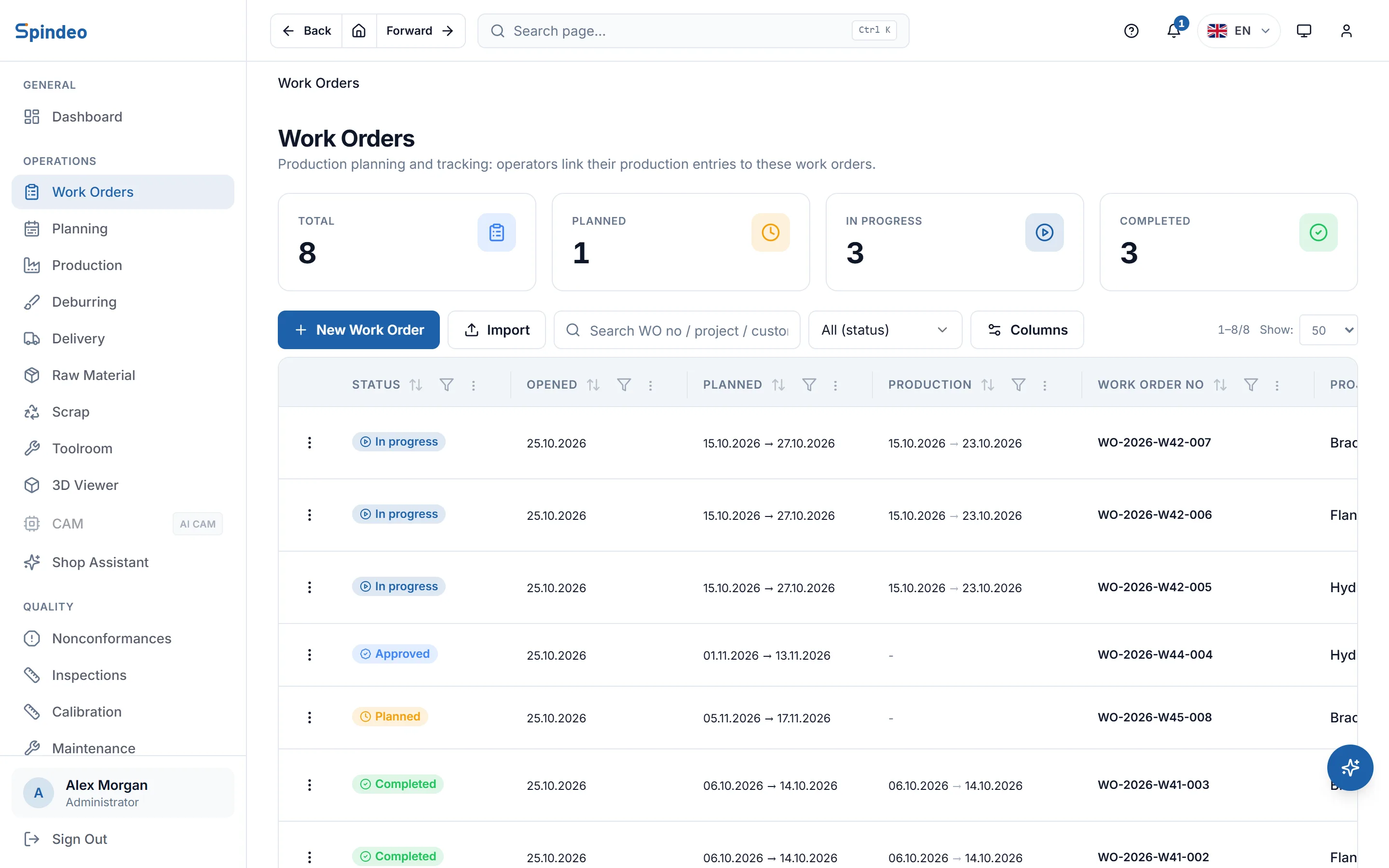
Which part, how many, through which operations, by when. You open the work order once; the operator's production entries, scrap and inspections all attach to it. Nobody has to walk the floor to ask how many parts are done.
How it works
- 1
Open the work order
Project, process plan, quantity and due date. The number is assigned for you. With the Sales plan, an accepted quote opens a project and the work order is opened from it. Your existing work orders come in from Excel in bulk.
- 2
Hand the sheet to the shop floor
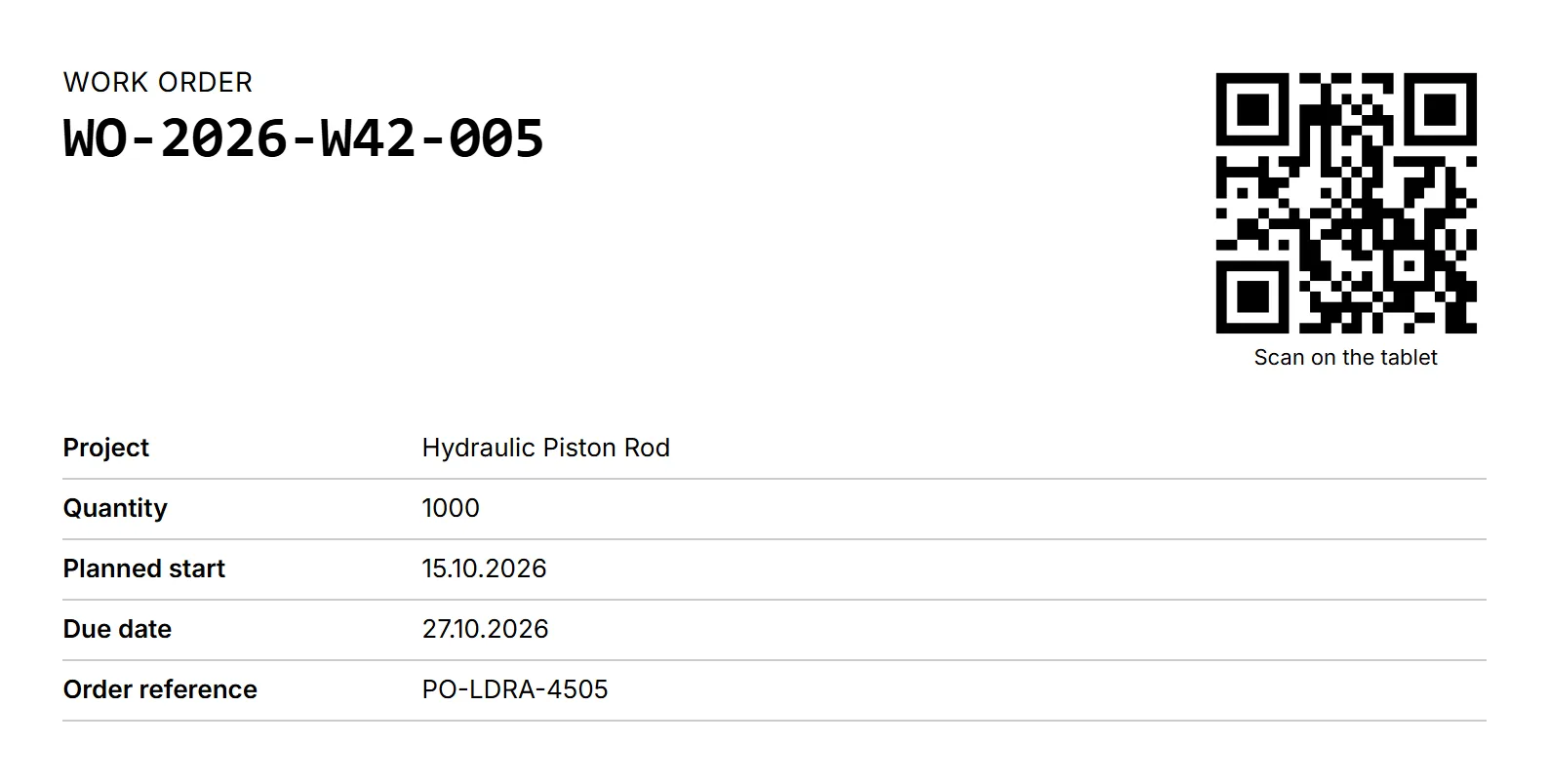
The job sheet lists the operations with fixture, quantity done and signature columns, plus a QR code. The operator scans it on the tablet, starts the job and finishes it; operators need no user account.
- 3
Production is written to the work order
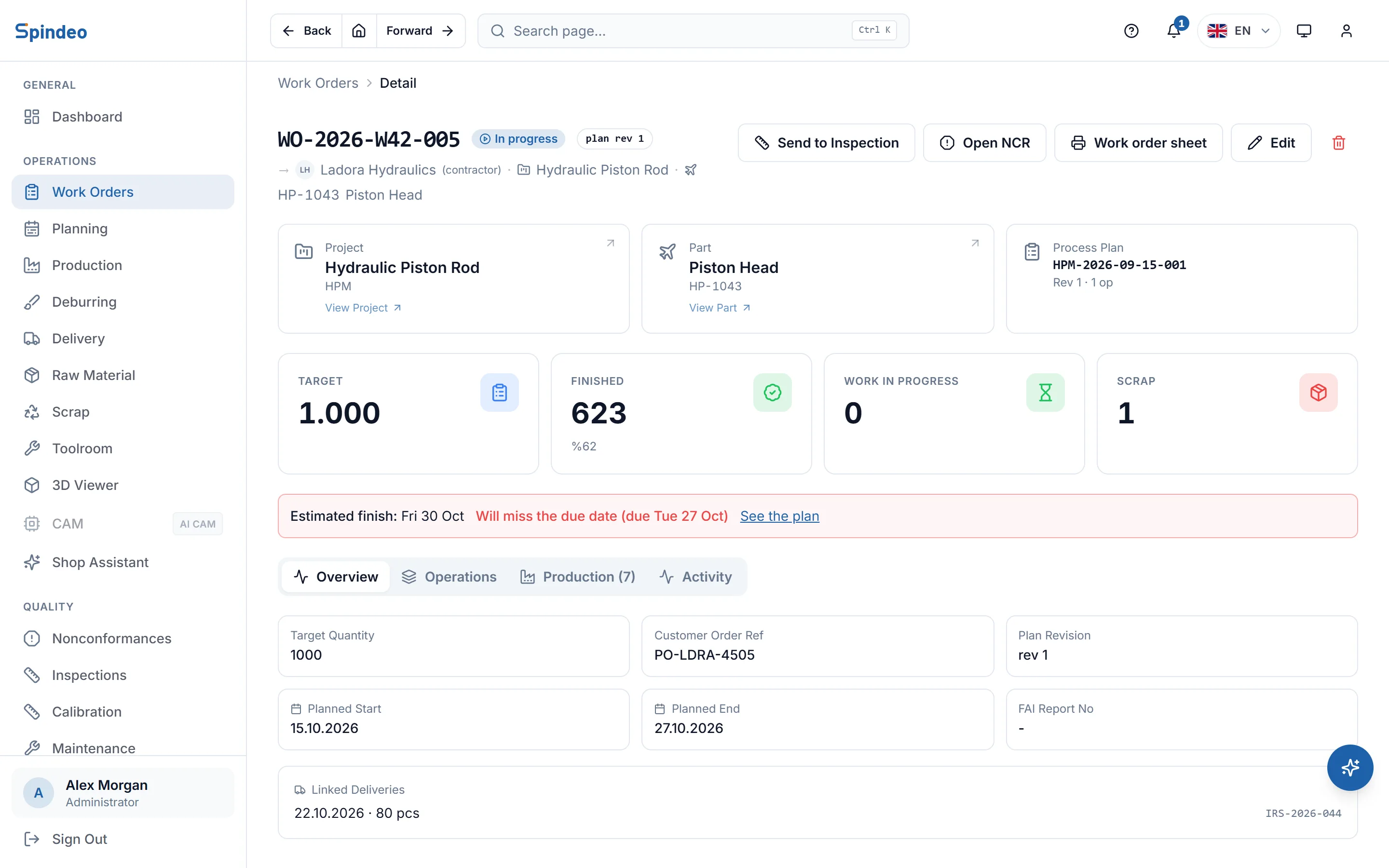
Each production entry records the machine, the operation, and how many good and scrapped parts came off. Finished, semi-finished and scrap totals update on the work order's page on their own.
- 4
Quality attaches to the same record
With the Quality plan you send parts to inspection or open a nonconformance straight from the work order. The job moves through Planned, Approved, In progress and Completed.
What's included
Multi-operation jobs
Every step in the process plan (turning, milling, grinding) is tracked separately on the work order, so you see how many parts sit at each operation.
Plan revision on record
The work order keeps the process plan revision it was opened with. If the plan changes later, the old job still tells you what it was made to.
Subcontracted work
If another shop does the job, you select it as the producer. Quantities stay in one place even when the work is outside.
Raw material lots
The lot number of the material is written on the work order. When a customer asks, the lot used for the job is on record.
Customer order number
The customer's order number shows on the work order, the job sheet and the production entries. When the customer calls, you search by their number.
History
Who opened it, who approved it, when it started. The work order's history sits in order on its own page.
Frequently asked questions
Try it in your own workshop
After you sign up you can open the sample workshop: browse the screens on this page in your own browser, then switch to your own data.
Works together with
- Production TrackingMachine, operation, good and scrap parts; downtime with its reason.
- Operator TerminalStart, stop and finish on the tablet at the machine; the system keeps the time.
- Production SchedulingJobs are placed on machines and days; due date warnings come early.
- QuotesItemised, revised PDF quotes; accepted lines become projects.