Know which caliper is coming due, without asking around
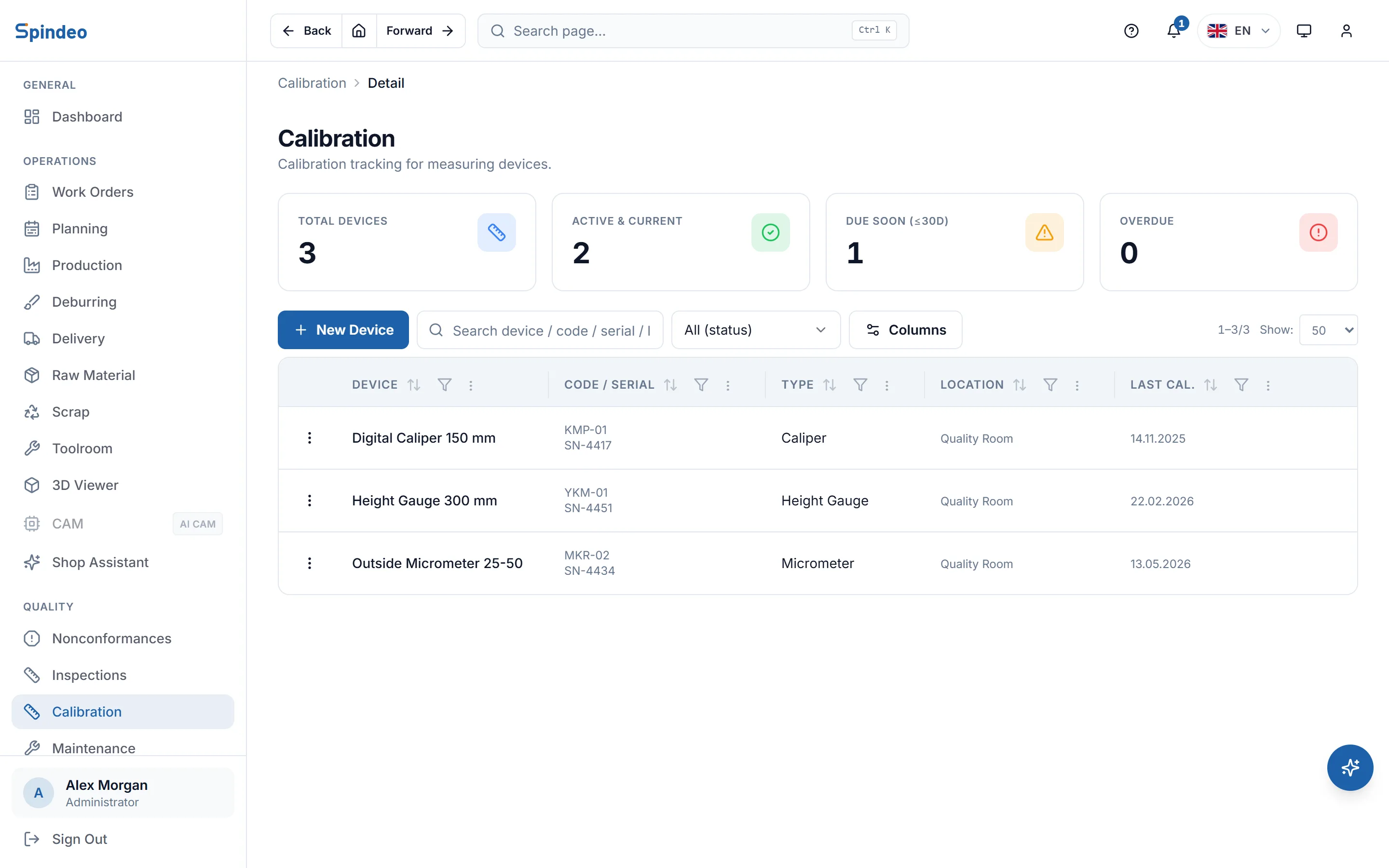
You register the measuring tools in your shop once: name, code, serial number, location and calibration interval. The next due date is calculated for you; tools coming due show yellow in the list and overdue ones show red. When a tool comes back from calibration, you enter the date and certificate number and the new due date is calculated.
How it works
- 1
Add your tools
Name, code (such as KMP-01), type (caliper, micrometer, gauge, height gauge, CMM, surface roughness, hardness tester, force gauge, thermometer), manufacturer, model, serial number and location.
- 2
Enter the interval and the last date
You enter the calibration interval in months and the last calibration date. The next due date appears in the form right away and is saved with the record.
- 3
Follow the due dates
A tool within 30 days of its due date shows as due soon; one past it shows as overdue. Both also appear in the notification bell and on the coming due card on the home page.
- 4
Update the tool when it returns
When the tool is back from calibration, you enter the new date, the provider and the certificate number. The due date is recalculated from the new date.
What's included
Due dates calculated for you
The next due date comes from the last calibration date and the interval. No counting dates by hand, no notes on the wall calendar.
Status colours
Active, due soon, overdue, in calibration and out of service. You set the status by hand when a tool is away or broken; the due status is worked out from the date.
Alerts in the notification bell
Tools due within 30 days raise a yellow alert and overdue tools a red one in the notification bell in the top bar, naming the nearest tool.
Filter by status
Filter the list to active, due soon, overdue, in calibration or out of service tools. Before an audit you see what is missing at a glance.
Location and serial number
Where the tool lives (quality room, next to the machine) and its serial number are on the record. Search the list by name, code, serial number or location.
Coming due on the home page
A card on the home page lists tools and maintenance due within 30 days together, nearest first.
Frequently asked questions
Try it in your own workshop
After you sign up you can open the sample workshop: browse the screens on this page in your own browser, then switch to your own data.