What the shop made today, and what is waiting where
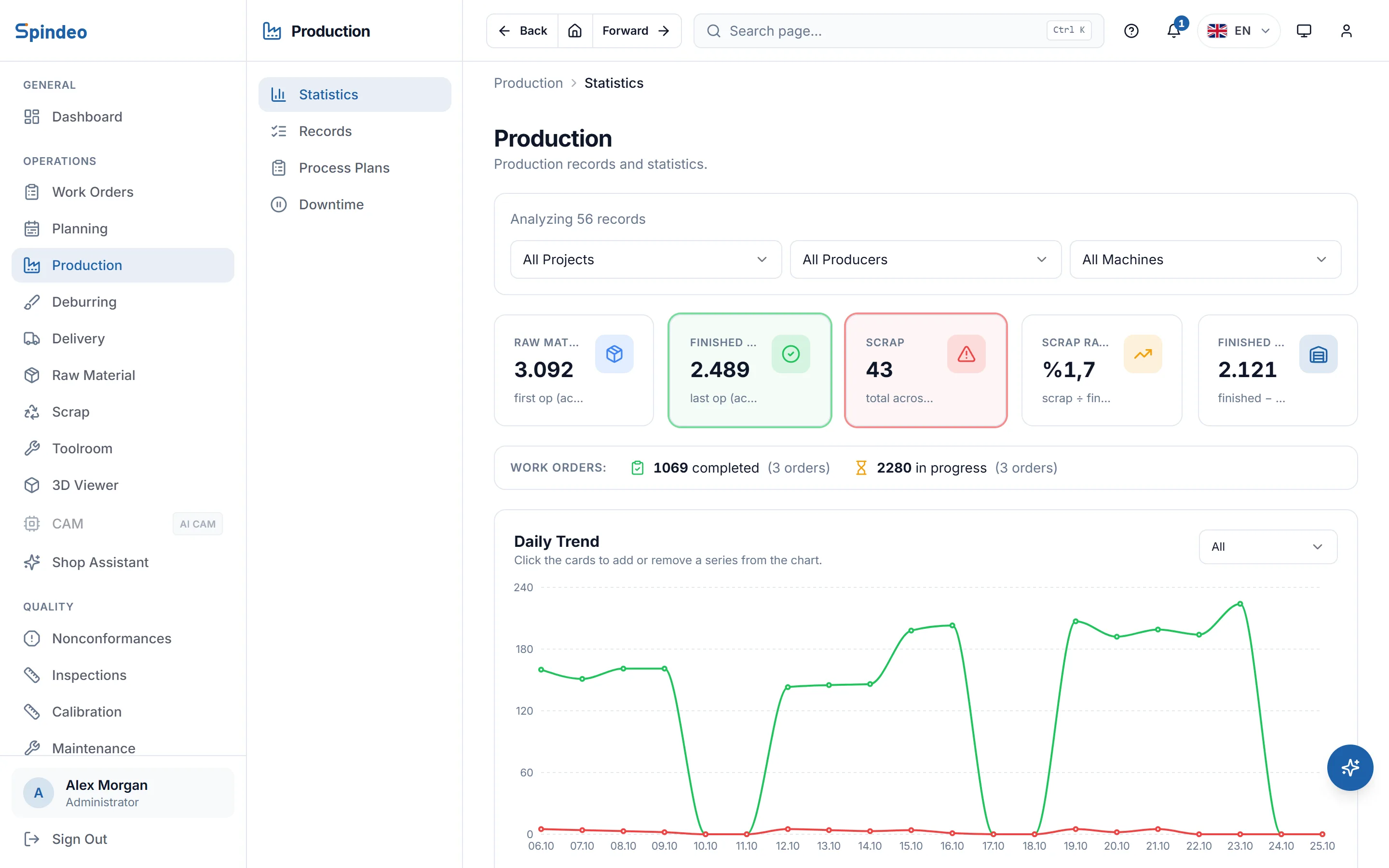
Each production entry carries the date, machine, work order, operation and quantities: good, scrap and waiting for deburring. The summary page turns these entries into raw material used, finished parts and scrap rate. Downtime is kept in the same place, with its reason.
How it works
- 1
Write the process plan
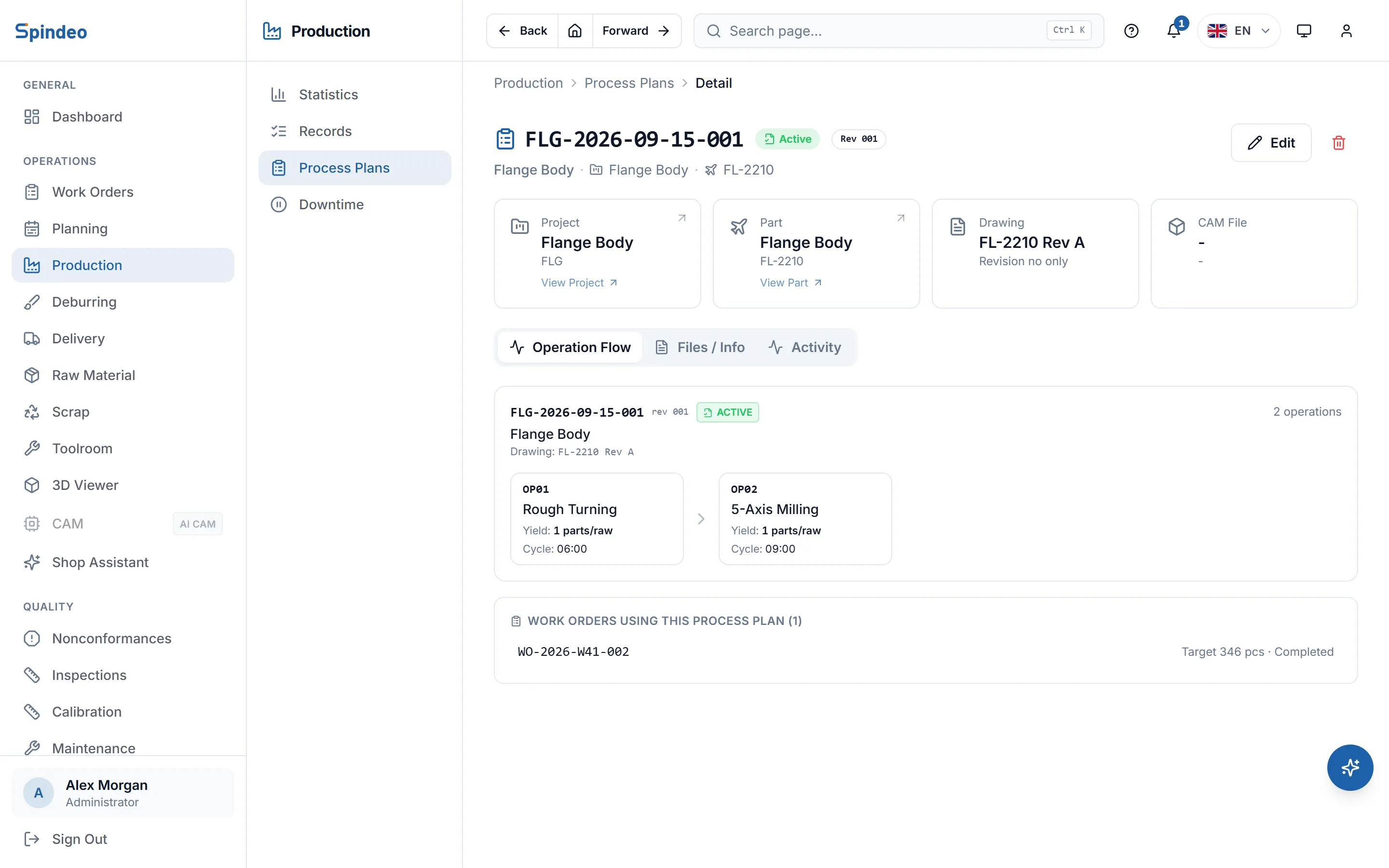
You define the order of operations for the part: each operation's name, standard yield (parts per raw piece), cycle time and fixture. You attach the customer drawing and its revision. Once the plan is Active it can be picked in production.
- 2
Enter production
At the end of the shift or when the job is done, an entry is opened: work order, operation, machine and quantities. If you use the operator screen, the tablet writes this entry itself; no manual entry is needed.
- 3
Record downtime
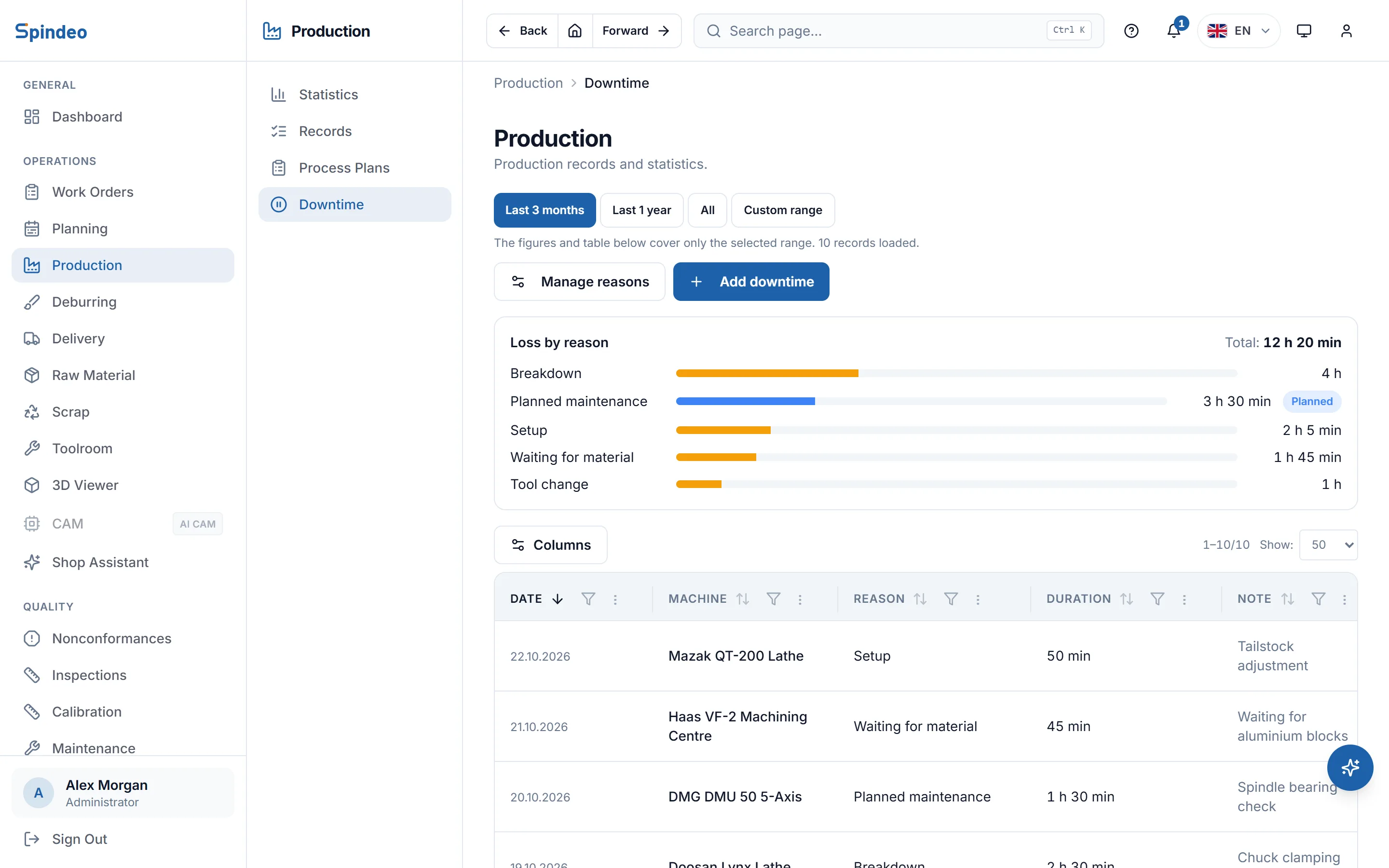
If a machine stopped for a breakdown, a tool change or waiting for material, you write the reason and how long it took. You set the reasons to suit your shop and mark the planned ones separately.
- 4
Check the summary
The summary page filters by date, project, machine and producer. You see how many parts wait at which operation of which project, and where the scrap comes from, without asking anyone.
What's included
Operations in sequence
Production cannot be entered for an operation while the previous one has no entry, and its date cannot be earlier. The first operation takes the raw material used; later ones take the parts coming from the previous operation.
Overage shown separately
Quantity beyond the work order target is saved but marked as overage. It does not mix with scrap and appears on its own in the summary.
Lot and revision details
Each entry can carry a production lot number, the drawing revision and the raw material lots used. You can later find which batch came from which material.
Subcontracted production
If another shop made the parts, you select it as the producer. The machine list narrows to that company's machines, and the summary splits by producer too.
Plan revision and status
A process plan moves through Draft, Active and Inactive. The revision number is suggested for you, and a draft plan cannot be picked in production. First article inspection can be flagged on the plan when needed.
Parts waiting for deburring
Parts that need deburring or hand finishing are counted apart from good and scrap. With the Traceability and Stock plan they go to the deburring queue.
Frequently asked questions
Try it in your own workshop
After you sign up you can open the sample workshop: browse the screens on this page in your own browser, then switch to your own data.
Works together with
- Work OrdersProject, process plan, quantity and due date; a QR job sheet.
- Machine TrackingEach machine's output, run hours, utilisation and maintenance.
- Operator TerminalStart, stop and finish on the tablet at the machine; the system keeps the time.
- Reports and OEEOEE per machine, scrap trend and job profitability.