What went to the customer, and how much they accepted
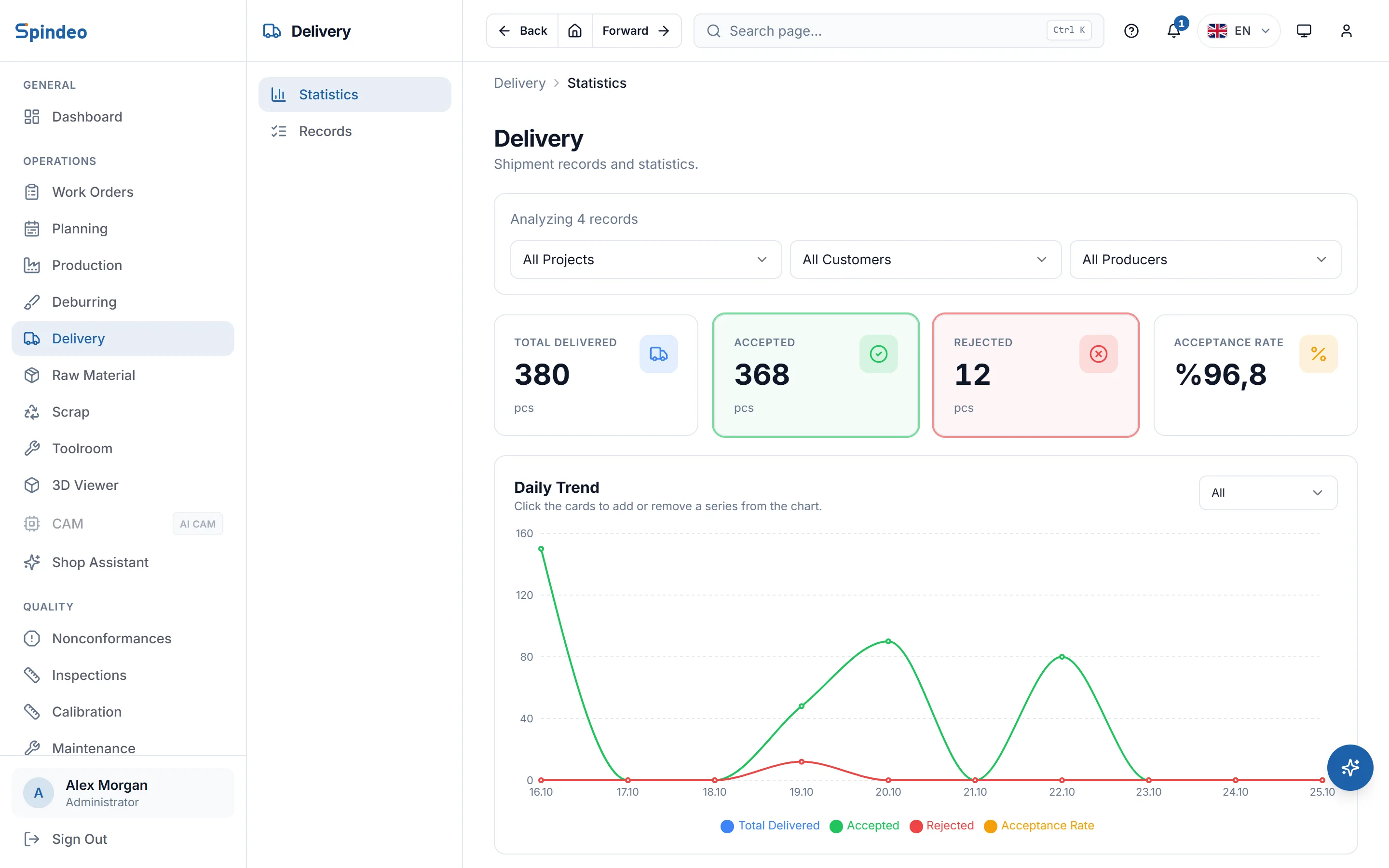
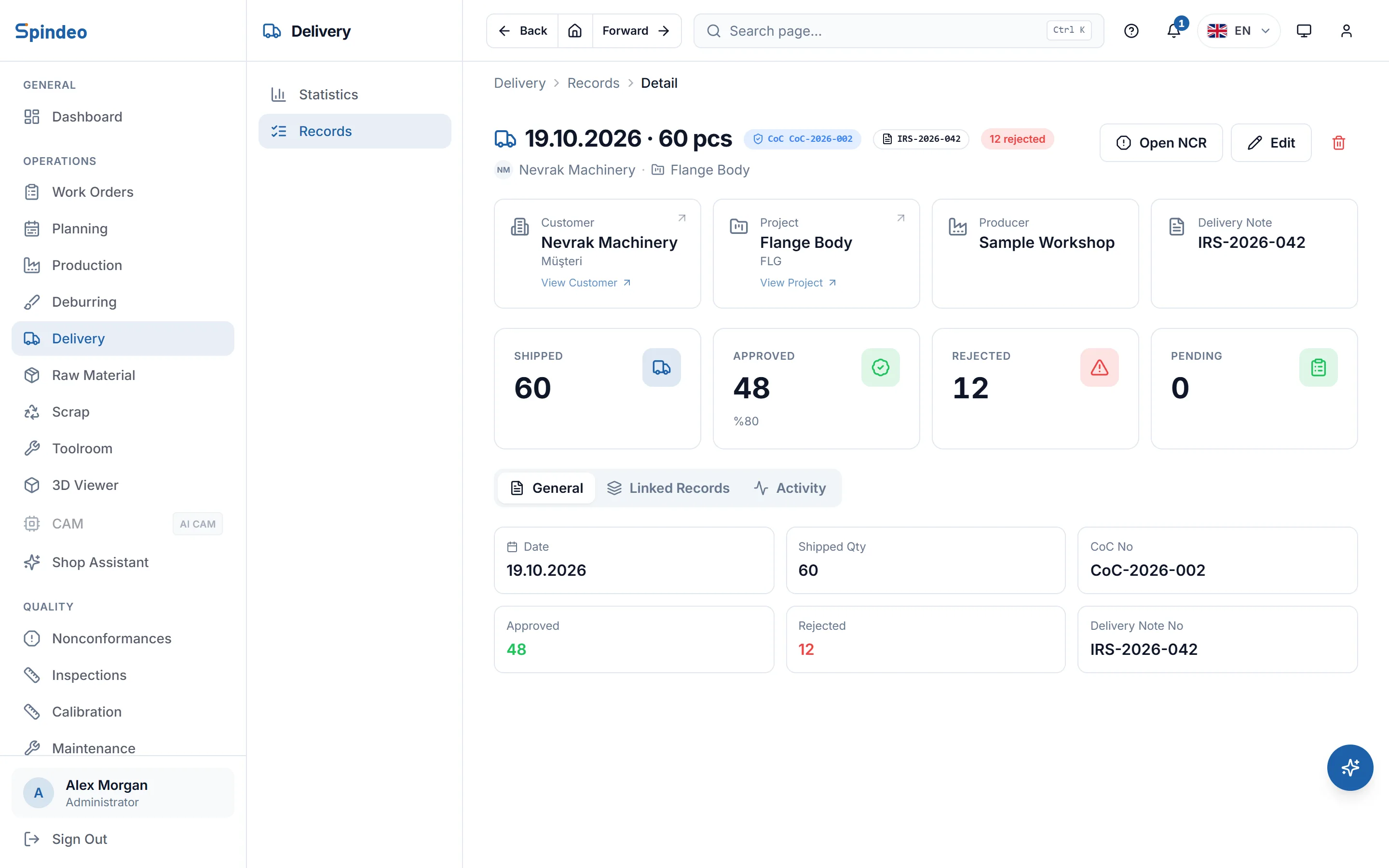
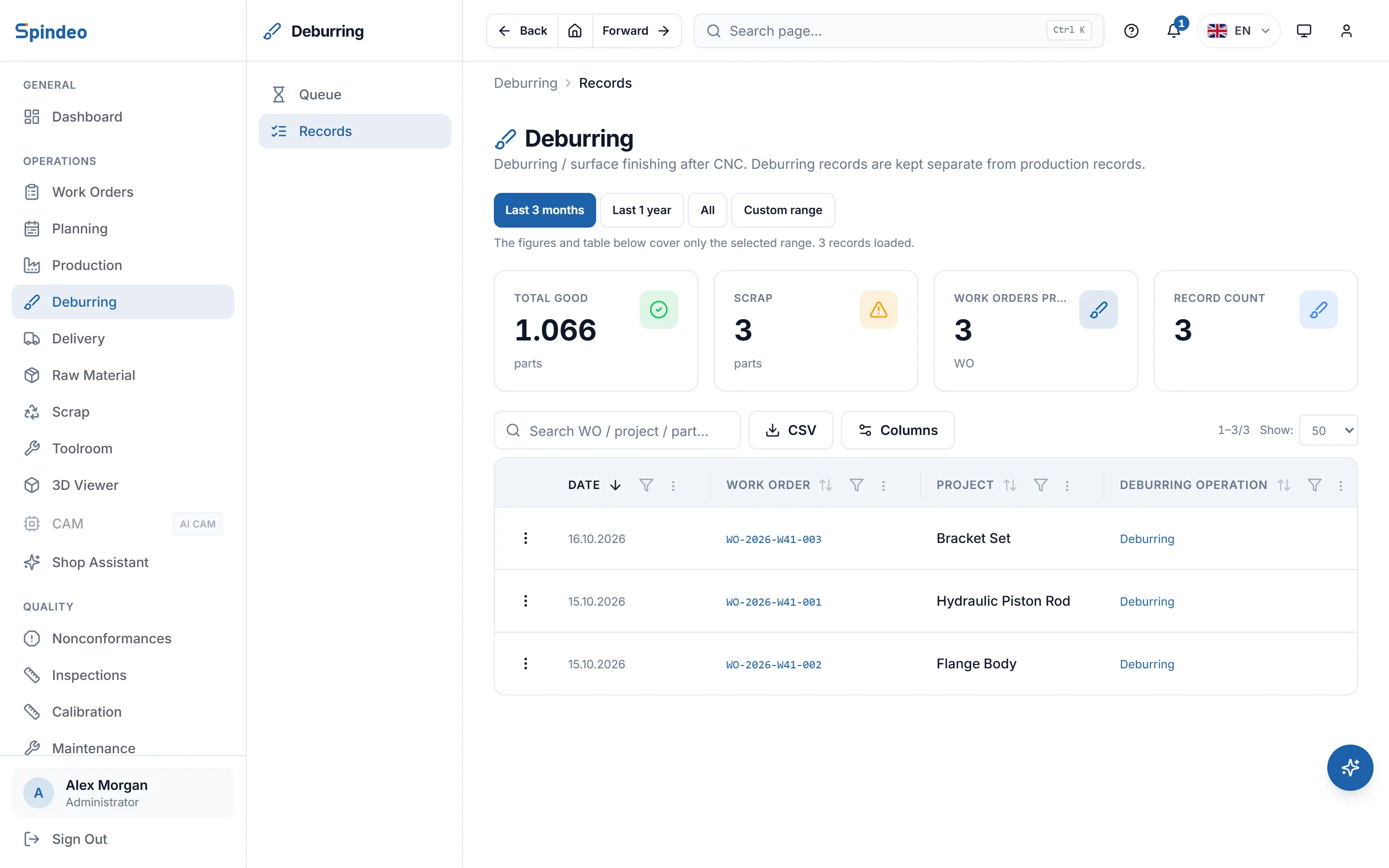
Every delivery is a record: date, project, customer, quantity shipped, quantity rejected and delivery note number. The accepted quantity is worked out for you, and you see the acceptance rate by customer and project. Hand deburring after machining queues up in the same module.
How it works
- 1
Add deburring to the process plan
If a part needs deburring or hand finishing after machining, you tick it on the Deburring tab of the process plan and enter the step's name, the bench or fixture, time per part and notes.
- 2
Take the job from the queue
As good parts come off the last CNC operation, the job drops into the Queue with its ready, done and remaining quantities. When deburring is done, you enter the good and scrapped counts.
- 3
Record the delivery
Enter the date, project and quantity; picking the project fills in the customer. Upload the delivery note PDF and its number and date are read. If a subcontractor made the parts, you select it under Produced by.
- 4
Record the customer's response
If the customer rejects parts, you enter the rejected quantity and the accepted quantity adjusts. With the Quality plan you open a nonconformance (NCR) for the return from the delivery's page; the customer and delivery note go into its title.
What's included
Acceptance rate
The last 30 days of deliveries, rejections and acceptance rate sit at the top of the records page. The summary page splits the same rate by customer and project.
Auto-fill from the delivery note
The number and date are read from a text-based PDF delivery note. The uploaded file opens from the delivery's page.
Subcontracted producer
Each delivery records who made the parts: your shop or a subcontractor. The summary page also splits deliveries by producer.
CoC number
The number of the certificate of conformity (CoC) you give the customer is kept on the delivery record, so it turns up together with the delivery note when someone asks.
On the customer's and project's page
Every delivery to a customer or for a project is listed on that company's and that project's page, in its own tab.
Deburring queue
For every job that needs deburring, the quantity in from CNC, the quantity deburred and what is left are in one list. A job whose last operation is not done shows which operation it is waiting for.
Frequently asked questions
Try it in your own workshop
After you sign up you can open the sample workshop: browse the screens on this page in your own browser, then switch to your own data.
Works together with
- Work OrdersProject, process plan, quantity and due date; a QR job sheet.
- NonconformanceNonconformance and corrective action in seven stages, from detection to close.
- InspectionsFirst article, in-process and final checks; dimensions, tolerances, result.
- Invoices and LedgersOutgoing and incoming invoices, payments, due dates and balances.