Which material, from which supplier, in which lot
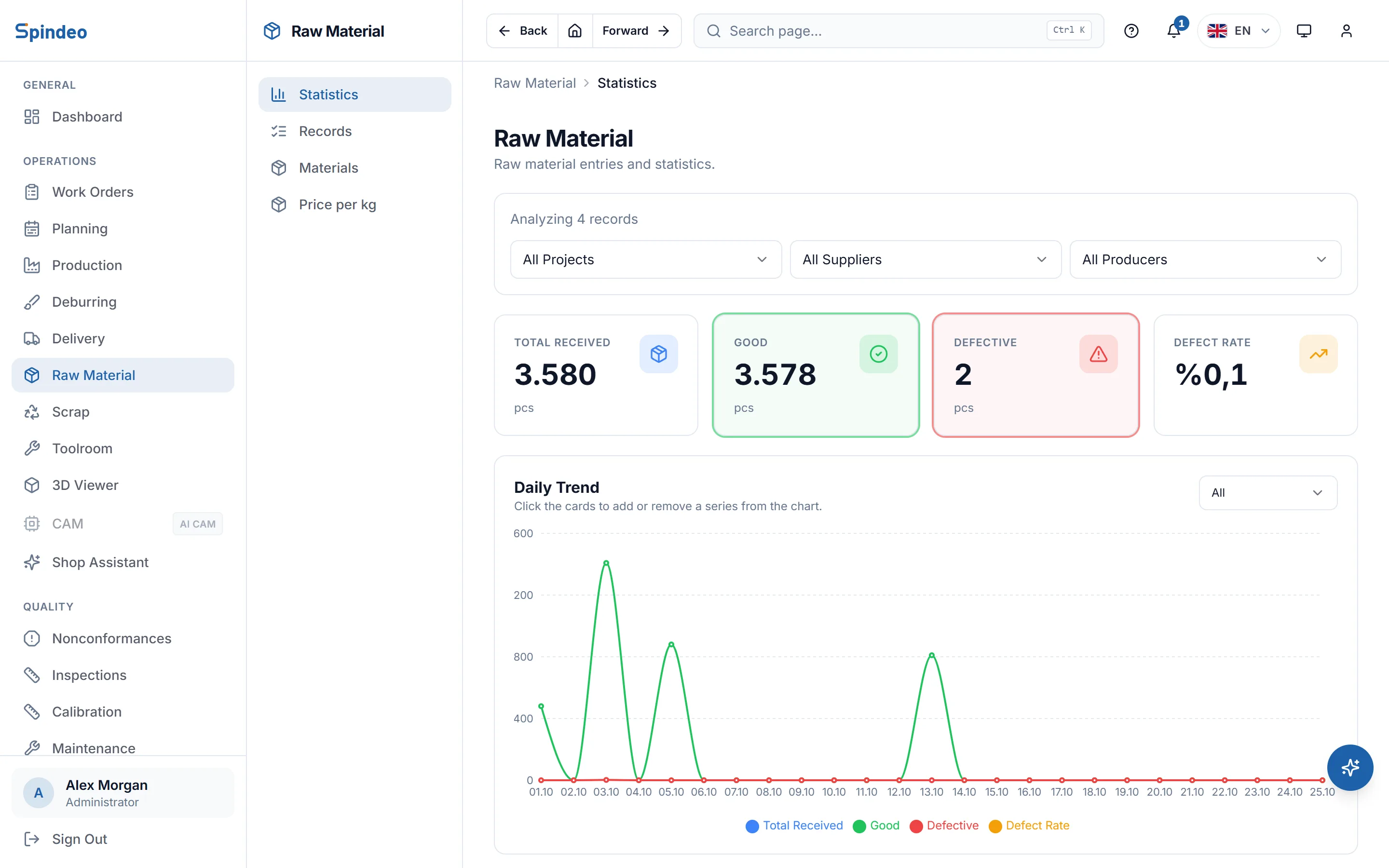
Every batch of incoming material is a record: date, project, supplier, material, quantity, lot and certificate number. You set aside the defective pieces and the usable count is worked out for you. The chips and waste that come off the machines are tracked in the same place, in kilograms and in money.
How it works
- 1
Define materials and prices per kg
On the Materials tab you enter the material's name and code (4140, 304, 6061 and so on). Dated prices go on the Price per kg tab; when a price changes, the old one stays and you add a new dated entry.
- 2
Record the incoming batch
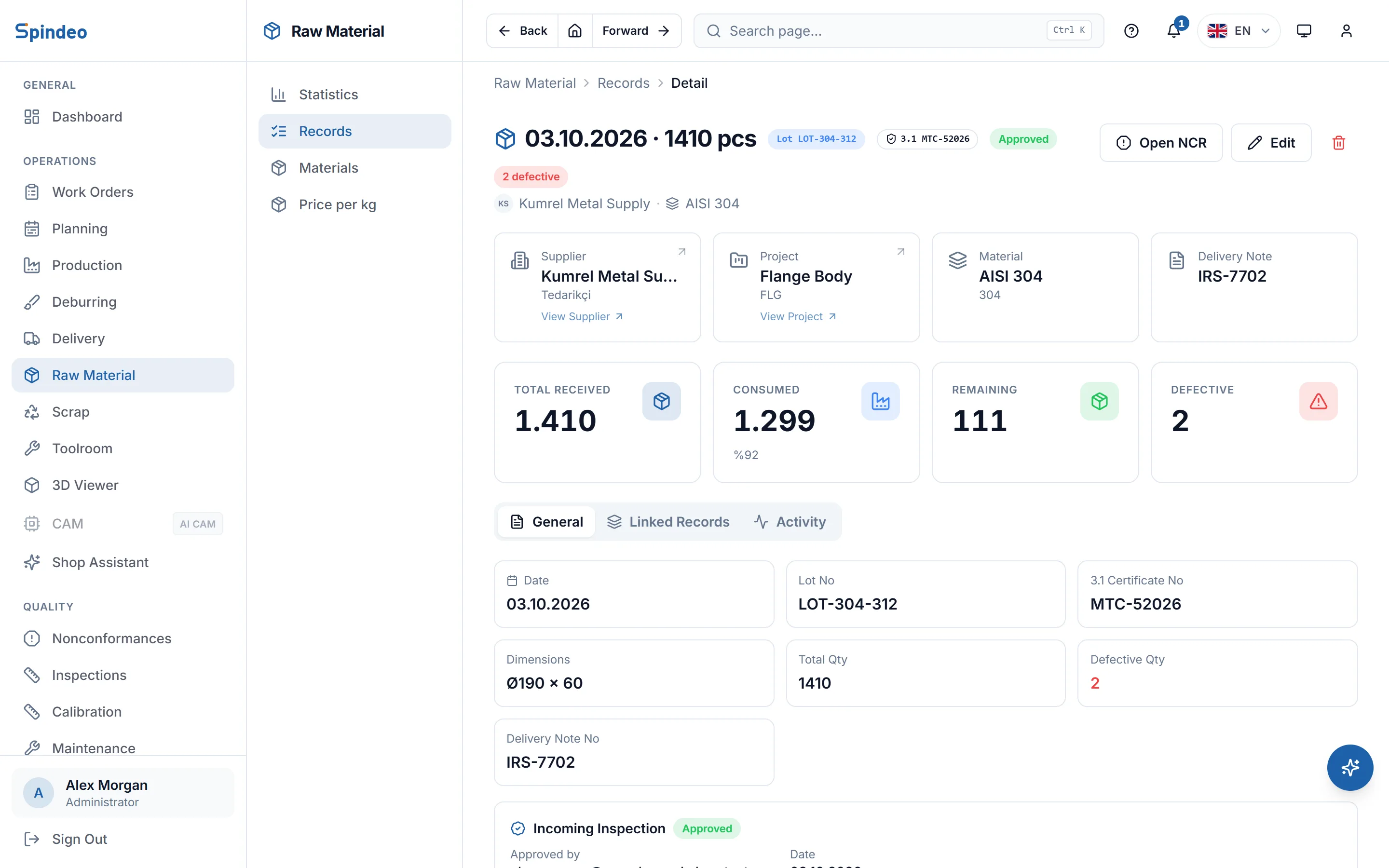
Upload the supplier's e-delivery note as a PDF and the number, date, quantity and lot are read from it; the supplier is matched by tax number and the project by product code. Anything that cannot be read you type in. Enter the defective count and the usable count follows.
- 3
Write the lot on the job
The lot number used is written on the work order and on the production entry; the form suggests the lots on record. The raw material's page shows the production made from that lot, with quantity used and remaining.
- 4
Sell the chips and waste
For each project you set the raw, chip, waste and finished weight per part; for each chip buyer, a dated price per kg. When you record a sale you enter the number of parts, and the kilograms of chips and waste and the amount are calculated. You can also enter kilograms directly.
What's included
Lot and certificate number
Every receipt keeps the lot number, the material certificate number and the size (such as Ø45 × 330). When a customer asks for the certificate, the record tells you which batch it came from.
Auto-fill from the delivery note
The number, date, supplier, quantity, lot and project are read from a text-based PDF delivery note. The uploaded file is kept on the record and opens from its page.
Supplier defect rate
Defective pieces are counted separately. The summary shows the defect rate by supplier, material and project, so you see which supplier causes trouble.
Dated price per kg
Material prices are kept with their dates, so history stays intact. On the Pro plan, job costing takes the material cost from this price and the raw weight in the unit weights.
Income from chips and waste
Chip sales add up in kilograms and in money. The records page shows the last 30 days of chips, waste and value; on the summary page you pick the date range.
Link to nonconformance
With the Quality plan you open a nonconformance (NCR) from a raw material receipt with one button; the material and lot go into its title.
Frequently asked questions
Try it in your own workshop
After you sign up you can open the sample workshop: browse the screens on this page in your own browser, then switch to your own data.