Which invoice is paid, which is overdue, and who owes you what
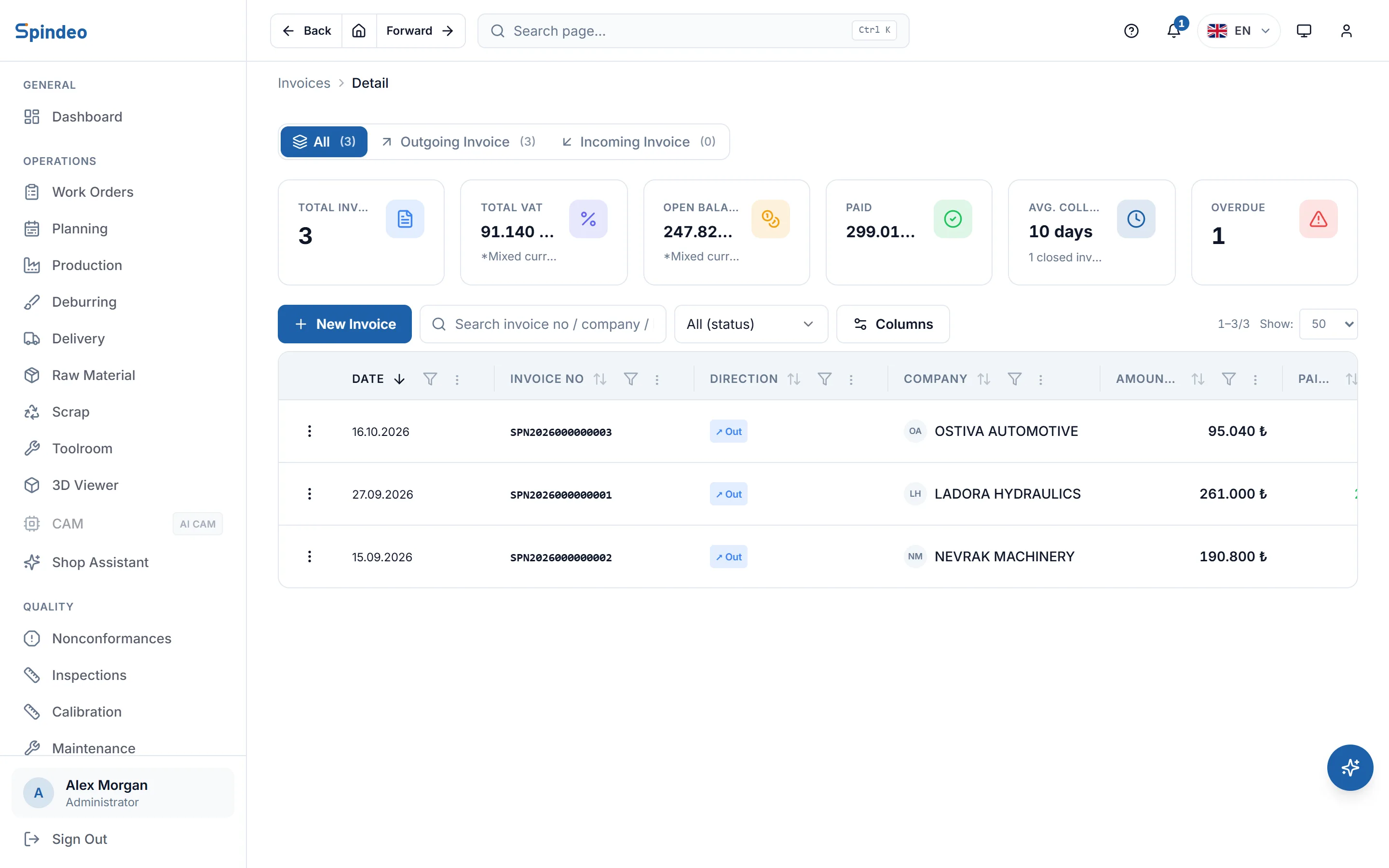
You record here the invoice you issued in your accounting software; upload its PDF and the fields fill themselves. As payments come in they are applied to the oldest open invoice first, so the balance per company and overdue receivables are always ready. The buyers, quality staff and accountants at your customers live in this module too, on the contacts list.
How it works
- 1
Set the company's payment terms
On the company record you enter how many days you give them to pay. On a new invoice the due date is filled in from that.
- 2
Record the invoice
Choose outgoing or incoming, then enter the number, date, amount and VAT rate. If you upload the invoice PDF, the number, date, amounts and lines are read from the file, and the company is picked for you when its tax number matches one on record.
- 3
Enter the payment
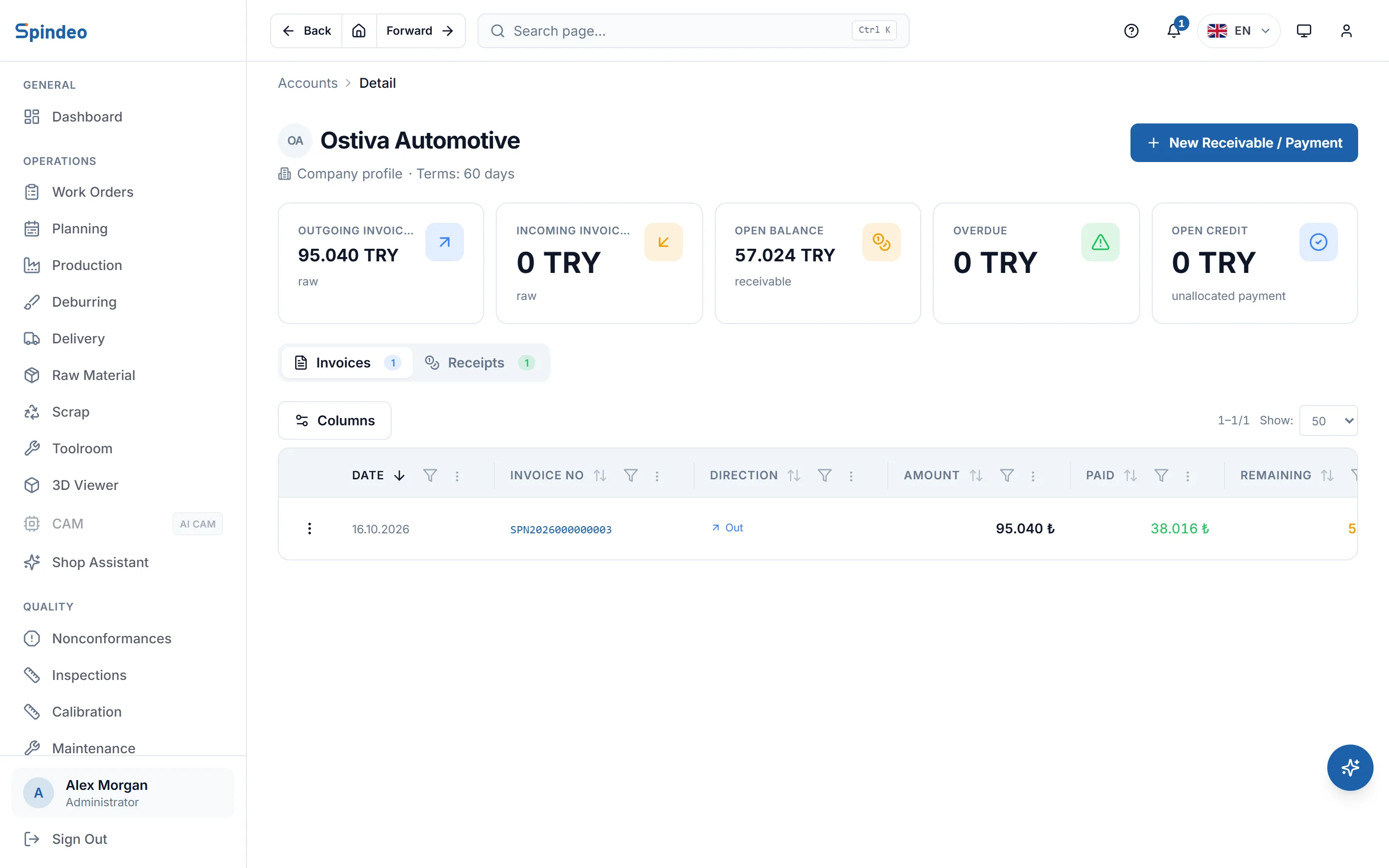
When money arrives you enter the company, amount, date and method (bank transfer, cheque, promissory note, credit card, cash). The amount is applied starting from the oldest open invoice; anything left over stays as credit and comes off the next invoice.
- 4
Watch the balances
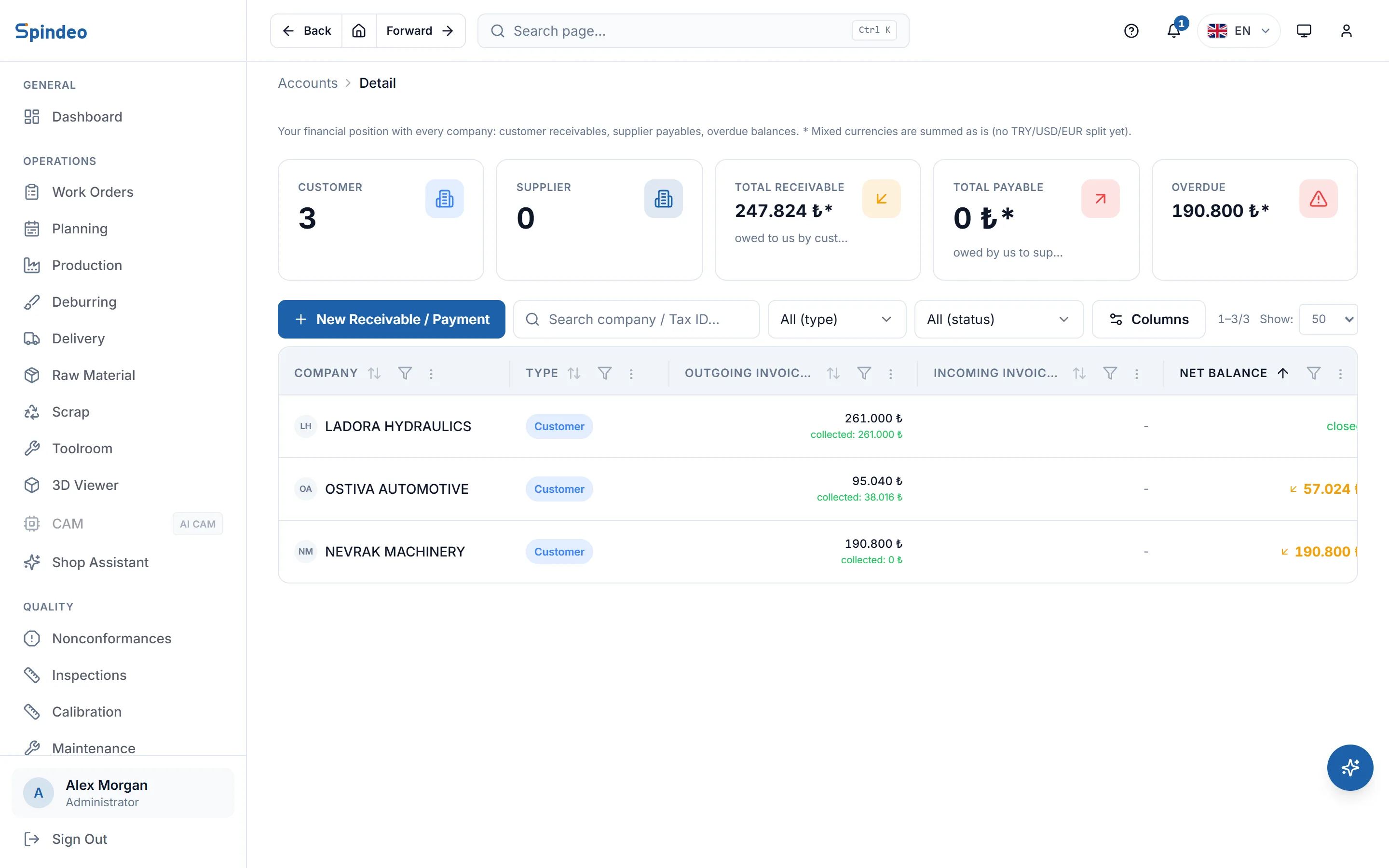
The ledger list shows who owes you and whom you owe, and how much. Overdue invoices are flagged; click a company to see its invoices and payments in date order.
What's included
Outgoing and incoming invoices
An invoice you issue to a customer is a receivable; one from a supplier is a payable. Both meet in the same company's ledger.
Reading the PDF
When you upload the invoice PDF, its details are read from the file and the form fills in. This happens in your browser and uses no AI credits. A scanned paper invoice cannot be read; you type that one in.
Status that updates itself
An invoice shows as Pending, Partial, Paid or Overdue. You do not set it by hand; it follows the payments and the due date.
Collection time
For every closed invoice you see how many days it took to collect and whether it was paid before or after the due date. The invoice list shows the average collection time.
Invoices linked to projects
You can link an invoice to a project. The invoice and its payments then appear on the timeline of the project and its quote.
Contacts
The people you deal with at each company: name, job title, department, phone, email and photo. One person can be linked to several companies, and you can import contacts from Excel in bulk.
Frequently asked questions
Try it in your own workshop
After you sign up you can open the sample workshop: browse the screens on this page in your own browser, then switch to your own data.