Record the bad part, and keep it open until the cause is found
A dimension out of tolerance, parts sent back by a customer, material that arrived without a certificate. You open a nonconformance; it moves through seven stages from detection to closure, and each stage records what was done. Who moved it, when and with what note stays in its history.
How it works
- 1
Open the nonconformance
Title, description, severity (minor, major, critical) and source (production, incoming inspection, final inspection, customer complaint, supplier, internal audit). The NCR number is assigned for you. Open it with the Open NCR button on a work order or production entry and the links come filled in.
- 2
Link the affected job
Pick a production entry and the work order, project and production lot fill in; pick a work order and the project and part follow. You enter the affected quantity in pieces or kilograms, the lot number and the due date.
- 3
Move through the stages in order
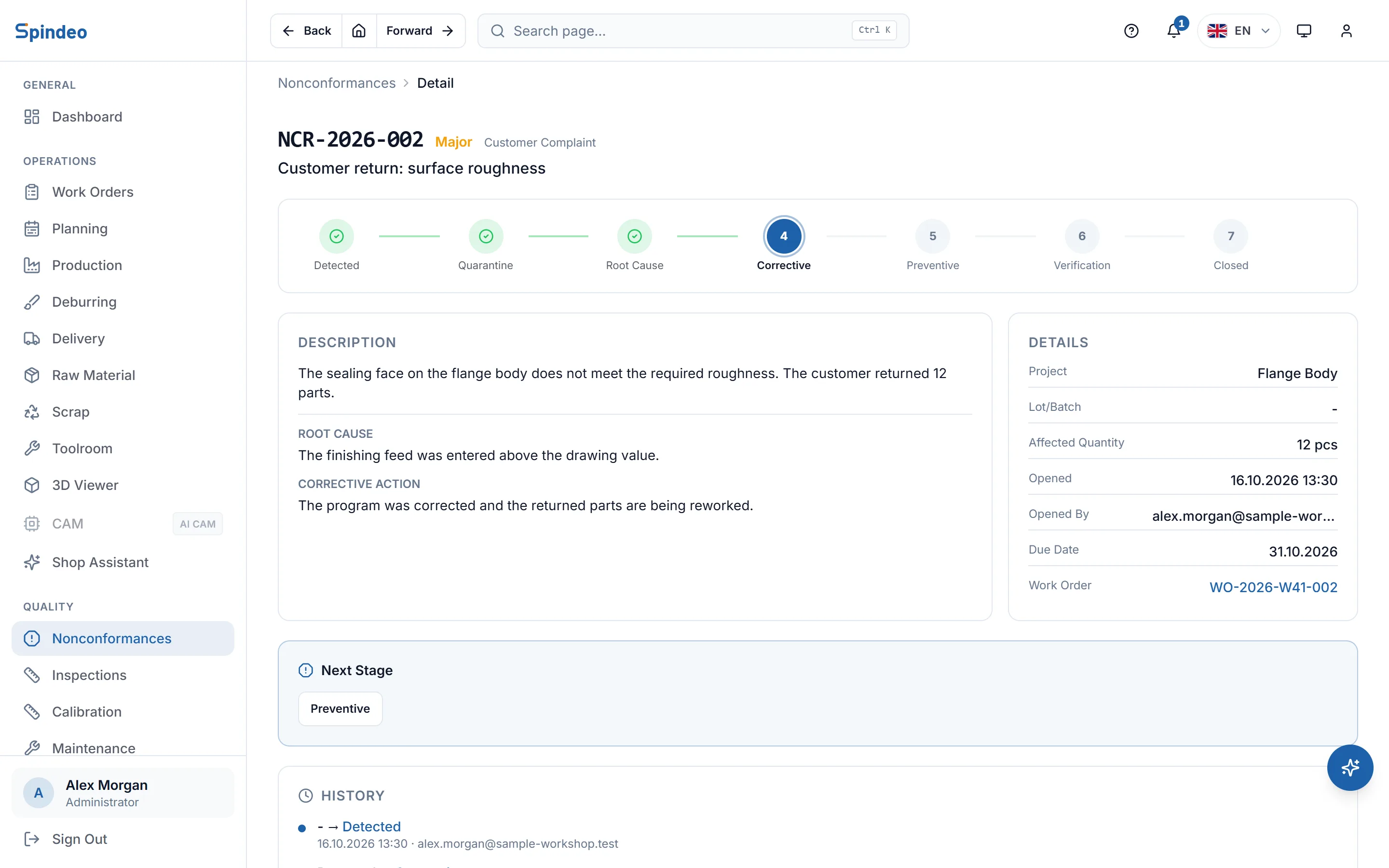
Detected, quarantine, root cause, corrective, preventive, verification, closed. You cannot enter a stage until its root cause, corrective action, preventive action or verification evidence is written. At the root cause stage you decide, with a reason, whether preventive action is needed.
- 4
Verify and close
If the fix worked, you write the evidence and close the record. If verification fails, the record goes back to the corrective stage. Every move is written to the history with who made it, when and with what note.
What's included
A seven-stage flow
The top of the page shows step by step where the record stands; finished stages are ticked and the next one is a single button.
Preventive action decision
Not every nonconformance needs preventive action. You record the decision and its reason at the root cause stage; if it is not needed, the record goes straight from corrective action to verification.
Opened where the problem is
Work orders and production entries have an Open NCR button, and so does any inspection that failed. With the Traceability & Stock plan you can also open one from raw material, scrap and delivery records.
Alerts in the notification bell
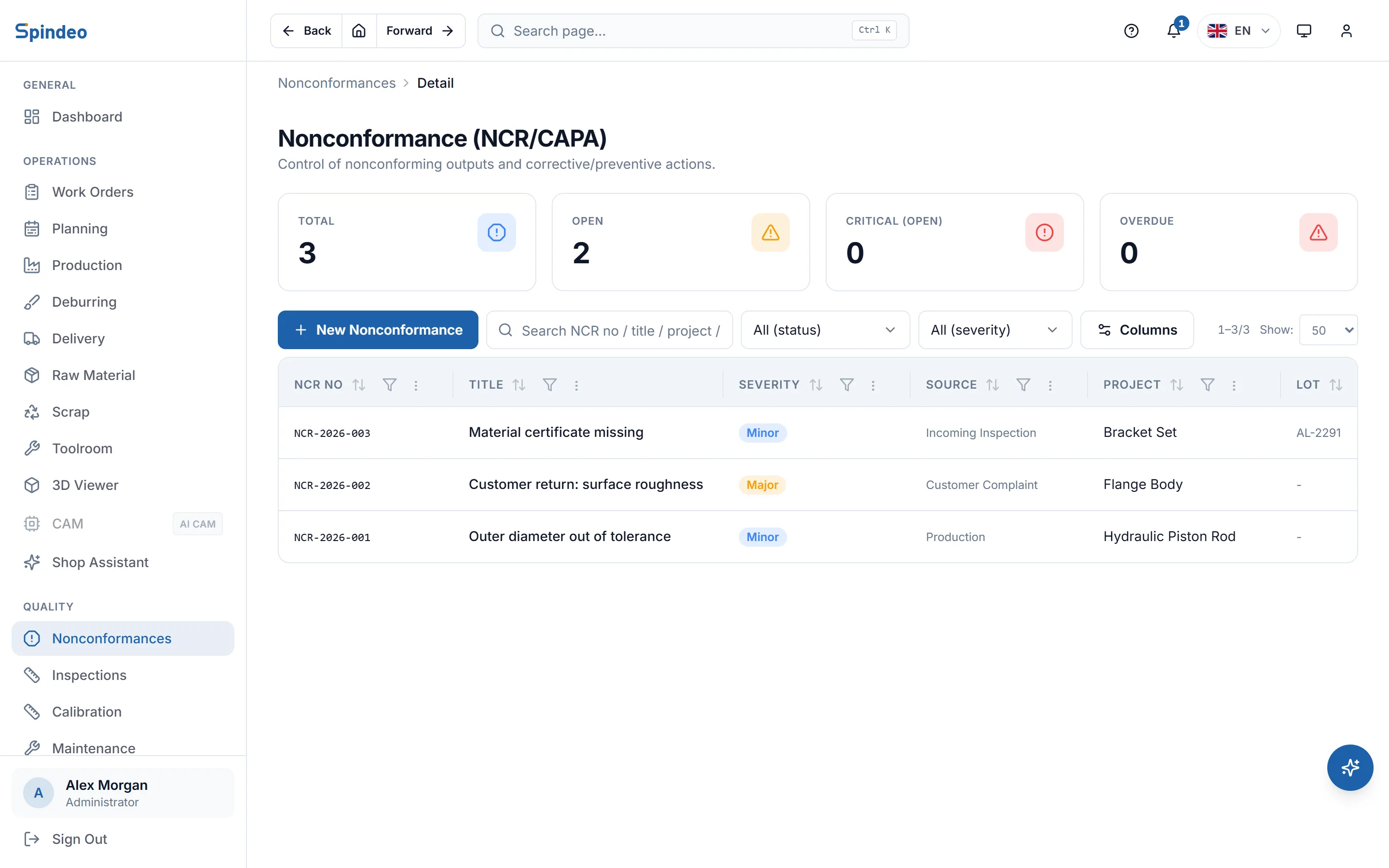
When a critical nonconformance is open or a record is past its due date, the notification bell in the top bar shows an alert. Clicking it takes you to the list.
Filters and search
Filter the list by status and severity; search by NCR number, title, lot or project name.
Audit log
The Quality plan also includes an audit log: every create, change and delete in the app is kept with the user and time, and you can see field by field what changed. The log cannot be deleted from the screen.
Frequently asked questions
Try it in your own workshop
After you sign up you can open the sample workshop: browse the screens on this page in your own browser, then switch to your own data.