Every machine's maintenance history on its own page
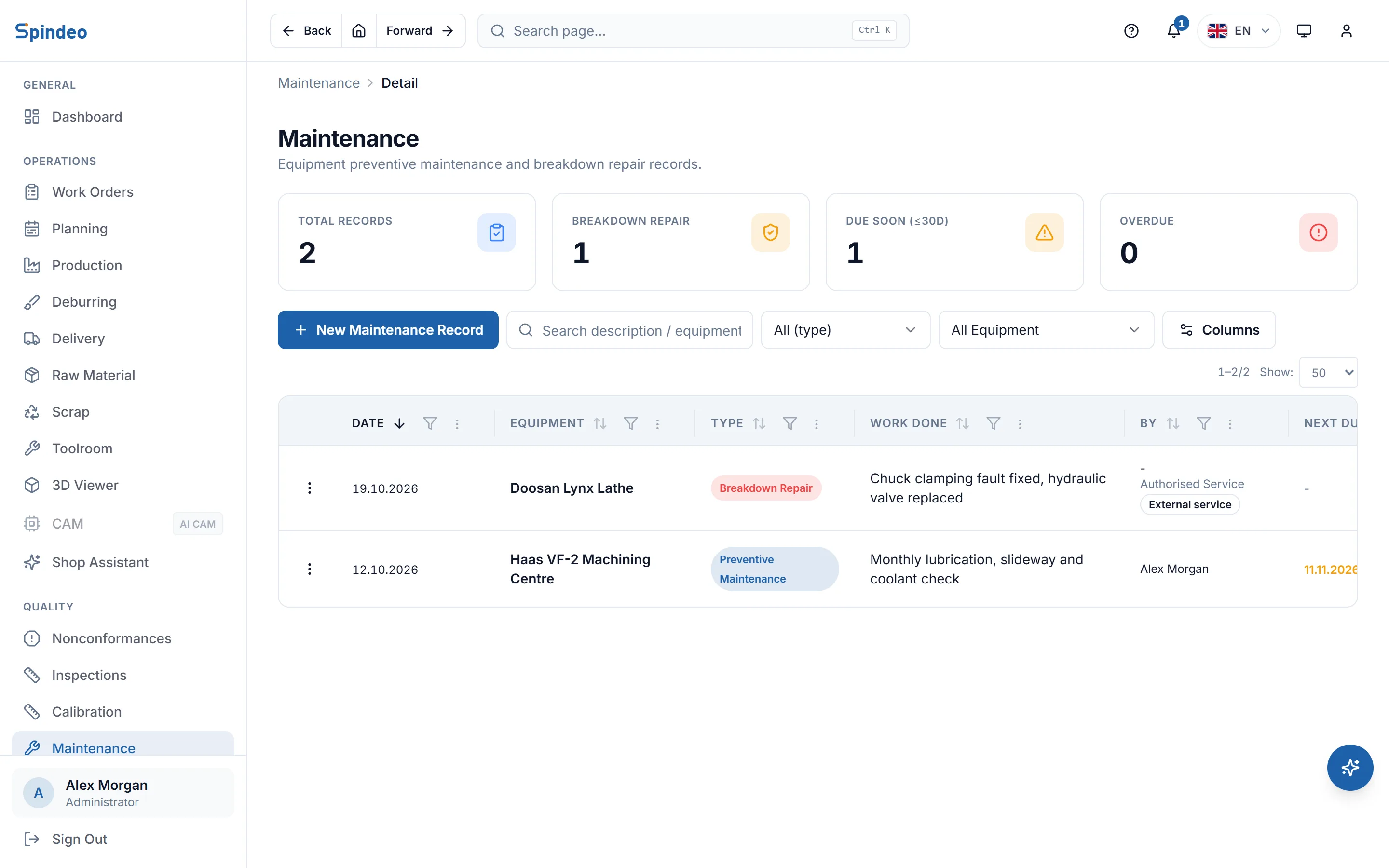
Lubrication, slideway checks, a chuck fault, a service visit. You record each job as an entry tied to the machine: what was done, who did it, which part was replaced and what it cost. As the next service date comes close, it shows in the list and on the home page.
How it works
- 1
Record the maintenance
Choose the equipment: every machine defined as production machine, support equipment or measuring device is in the list. Enter the type (preventive maintenance, breakdown repair, inspection), the date and the work done.
- 2
Add the details
There is a long notes field for the fault, the root cause and the repair steps. Who did the work, whether an outside service came in, which part was replaced, what it cost, and whether the result was OK, partial or failed.
- 3
Set the next service
On preventive maintenance and inspection entries you enter the date of the next service. Thirty days before it, it counts as due soon; once it passes, as overdue.
- 4
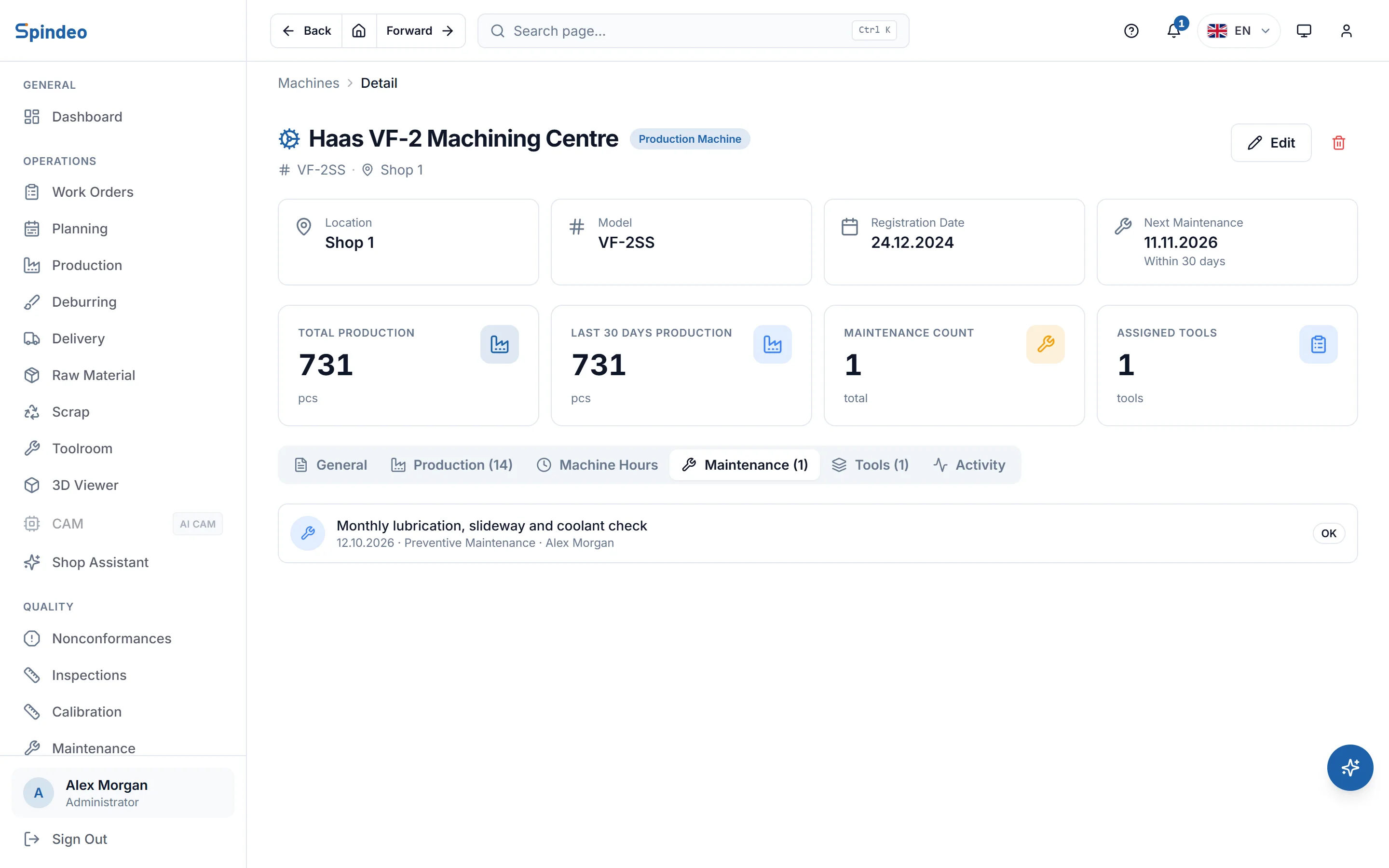
Check the machine's history
The maintenance tab on the machine's page lists every job on that machine in order. The coming due card on the home page lists upcoming maintenance together with calibrations.
What's included
Three types of maintenance
Preventive maintenance, breakdown repair and periodic inspection (checks and measurements such as oil analysis) are separate types. Filter the list by type.
Your own team or an outside service
If your team did the work you enter the person's name; if an outside service came, the service company. External service entries are marked in the list.
Replaced parts and cost
Replaced parts and the cost of the job are on the record. You can work out what a machine cost you in a year from its entries.
Due date counter
The list looks at the nearest service date for each machine and counts at the top how many are coming due and how many are overdue. Each row shows the days left or the days past.
Result on record
A job closes as OK, partial (done, but the machine needs watching) or failed. Whether the problem was solved is still known later.
Filter by machine
Filter the list to a single machine, and search by work done, equipment, person or service company.
Frequently asked questions
Try it in your own workshop
After you sign up you can open the sample workshop: browse the screens on this page in your own browser, then switch to your own data.