How long each machine ran and what it made, on one page
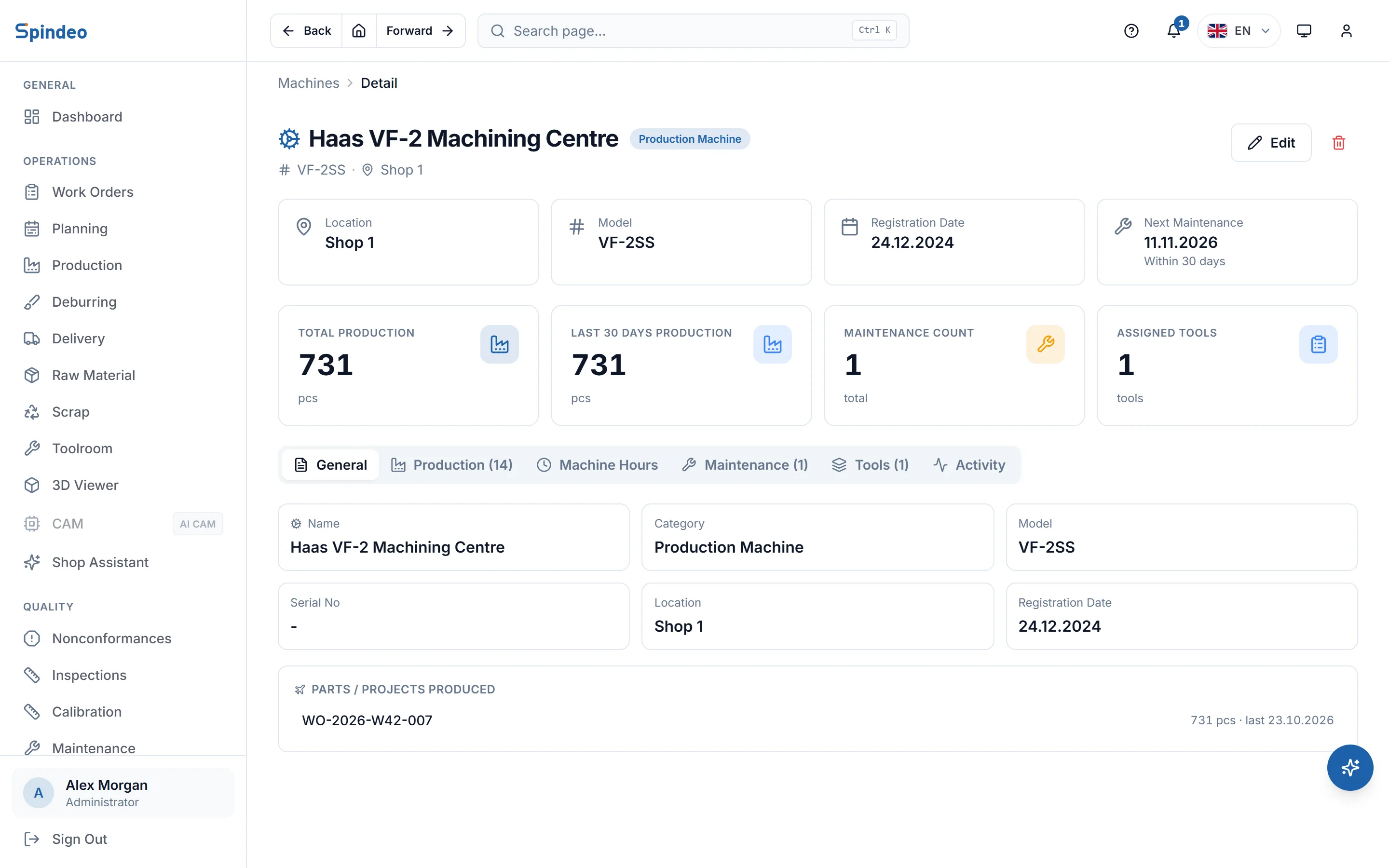
Work orders, production entries, downtime and running hours all attach to a machine. Open a machine's page and you see how many parts came off in the last thirty days, how much of the planned time it ran, and how many times the standard time the jobs actually took.
How it works
- 1
Add your machines
A name and a type are enough: production machine, support equipment or measuring device. Model, serial number, location, hourly cost and daily hours can be added later. Your machine list comes in from Excel in bulk.
- 2
Enter daily hours
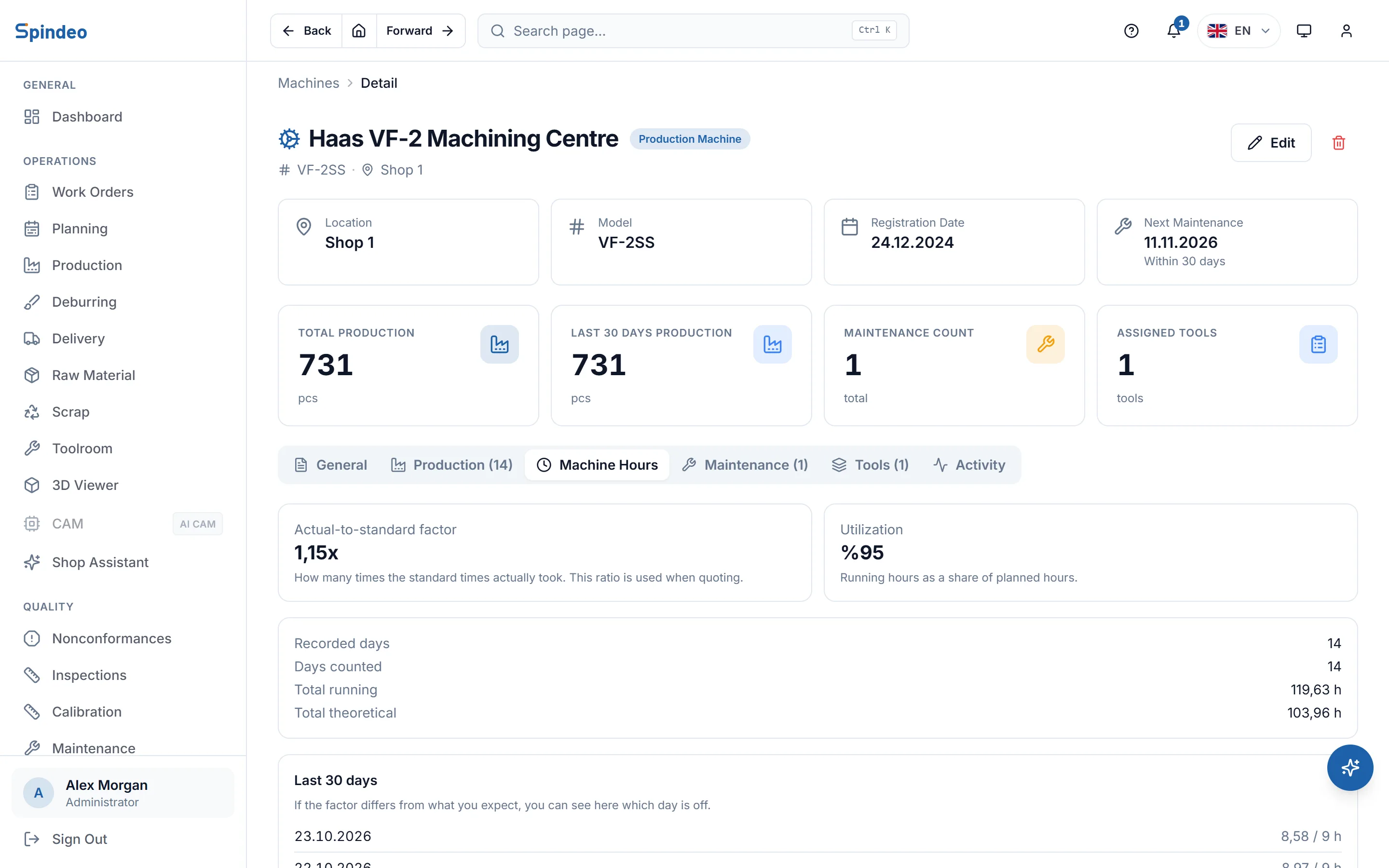
On the machine hours screen you write how many hours each machine ran that day and how many were planned. The boxes are prefilled with the daily hours on the machine record, and work days left empty this month are listed at the top.
- 3
Or let the tablet measure
If the operator screen is open next to the machine, running and stopped time is written as jobs are started and finished. Hours you enter by hand and hours the tablet measures are not added together, so the same hour is never counted twice.
- 4
Check the machine's page
Production, machine hours, maintenance, tools and history tabs sit in one place. On the Pro plan the Reports page calculates OEE per machine from this data.
What's included
Utilization
Running hours as a share of planned hours. You see in numbers which machine sits idle and which one is full.
Actual-to-standard factor
How many times the standard times in the process plan the work actually took, calculated over the last 90 days. Days that do not match production are left out, and at least 10 days of data are needed.
Hourly cost
You write the machine's hourly cost on its record. The cost estimate in the AI Assistant plan uses this value and the actual-to-standard factor.
Access by machine
You choose which machines each user can see. A user only sees the entries and hours of the machines they are allowed.
Another company's machine
You can add the machines of a shop you subcontract to, under its name. When you pick that company while entering production, only its machines are listed.
3D model
Upload the machine's STP, STL or OBJ model and inspect it on the machine's page, rotating and measuring. The machine list also opens as a model gallery.
Frequently asked questions
Try it in your own workshop
After you sign up you can open the sample workshop: browse the screens on this page in your own browser, then switch to your own data.
Works together with
- Production TrackingMachine, operation, good and scrap parts; downtime with its reason.
- Operator TerminalStart, stop and finish on the tablet at the machine; the system keeps the time.
- MaintenancePlanned maintenance and breakdown repairs; next due date and cost.
- Reports and OEEOEE per machine, scrap trend and job profitability.